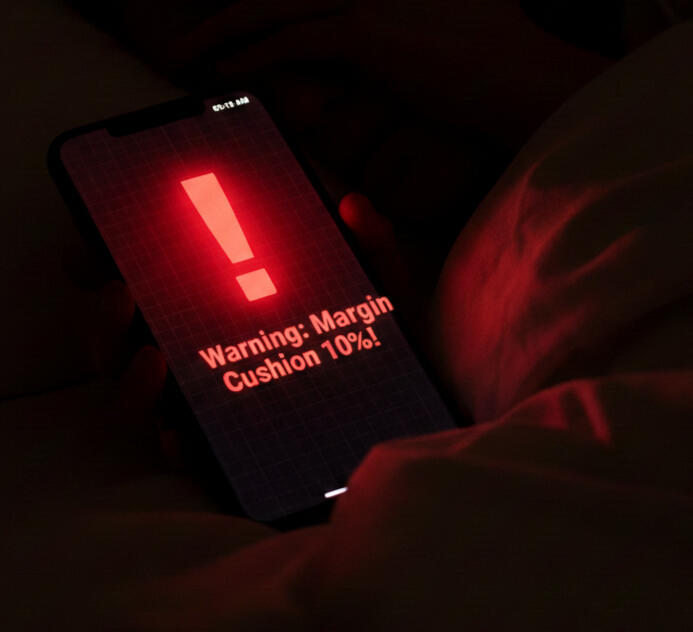
Designed for traders in Asia (GMT+8).
Get critical alerts for Margin Cushion, Stock Prices, and Option Premiums while you sleep.
’Works seamlessly with: Interactive Brokers • Firstrade •
🔒 No credit card required. Setup takes just 5 minutes.
We do not require your brokerage account or password.
We understand the pain of trading US markets from the Asian time zone (GMT+8). Our goal is to cure your sleep anxiety so you can rest easy.

💡 Why is this metric a matter of life or death for your portfolio?
Think of your portfolio as a car speeding down the highway.
Your "Margin Cushion" is your safe braking distance.Maintenance Margin: The absolute limit. The car right in front of you (The Liquidation Line).Cushion 10%: You still have room to react and hit the brakes.Cushion 0%: CRASH. 💥 IBKR triggers algorithmic liquidation, auto-selling your positions instantly—usually at the worst possible market prices.MarginSiren is your collision warning system. When the danger zone approaches, it blasts a loud siren to wake you up, buying you precious time to save your account.
On Jan 30, 2026, Silver plummeted ~30% in mere hours.
At that moment, I was in a deep sleep in the Asian time zone.My phone was on "Do Not Disturb." The standard broker notification sound didn't wake me up at all.
IBKR's ruthless liquidation algorithm wiped out my positions in 4 hours.
I lost a whole year's profit that night.
At dawn, staring at my screen, I made a vow: This is the last time I lose control while sleeping.
💡 And so, MarginSiren was born. Our only goal is to be the loudest, most reliable guardian for Asian traders during the dark hours of the US market.
Step 1: Get Your User Key
Download the Pushover App, register, and copy your User Key.
(Note: Pushover offers a 30-day free trial, then a $5 one-time purchase).
Step 2: Setup Forwarding
Log into the Gmail account you use for broker alerts (IBKR or Firstrade) via a web browser on your phone or computer, and set up the auto-forwarding rule.
Step 3: Activate Alerts
Enter your Email and User Key in the secure form below to instantly activate your protection!
Simple, Transparent Pricing
Unlimited Protection
$14.99 / month
(Billed monthly. Cancel anytime.)
What's included:
✓Unlimited Margin Call & Price Drop Alerts
✓ Force-bypass iOS/Android Silent & DND Modes
✓ Extreme-volume siren loops until you wake up
✓ 100% Secure: No brokerage passwords required
✓ Full support for IBKR & Firstrade
🔒 Secure checkout powered by Stripe
Take Interactive Brokers (IBKR) for example.
They operate on a "Real-Time Liquidation" system.
Once your Margin Cushion hits 0%, the system auto-liquidates your positions instantly without warning.
If you sleep through a silent notification, you could wake up to a 40% loss.
But if a loud alarm wakes you up when your cushion drops to 10%, the outcome is completely different.
1. Download Pushover & Get Your User Key.Go to the App Store or Google Play, search for, and download "Pushover"..Open the app and sign up for an account using your email.
(Note: Pushover offers a 30-day free trial. After it expires, it only costs a $5 one-time purchase for lifetime access.).Once registered, locate the string of characters labeled User Key on the app's main dashboard (or in the Settings menu)..Copy this User Key, as you will need it shortly.
3.1 Access Desktop Mode & Add Forwarding Address (Safari)📋 Quick Copy & Paste Guide
Watch the video tutorial for step-by-step instructions. Use the text below to quickly copy and paste into your Gmail filter settings:Forwarding Address:
[email protected]"From" Field:
@interactivebrokers.com OR @firstrade.com"Subject" Field:
Alert OR triggered OR "up more than" OR "down more than" OR Margin OR 警示 OR 保證金 OR 催繳🔒 Privacy Note: Only emails matching these exact criteria are forwarded. Your personal inbox remains 100% private.
3.2 Pushover Quick Setup.Open Pushover and tap the Settings (gear) icon..Under Alert Settings, turn ON all 4 switches (ensure they are green)..Tap Device notification settings and enable Critical Alerts (important for silent mode).. Set Volume for Critical Alerts to 6 or higher to ensure you wake up for alerts.
4. Final Setup & Alert Testing.Set a Test Alert: Open your broker app (IBKR/Firstrade) and set a price alert for any stock close to the current market price..Confirm Email & Notification:
Once triggered, check your Gmail. If the broker's email arrives, MarginSiren will instantly send a push notification to your phone!💡 How It Works & Turning Off Alerts: MarginSiren relies on your broker's emails to trigger notifications. To pause or stop receiving alerts, you must turn off or delete the specific alert directly within your Broker App.